Chori Tharo I Phone Kista Pe Capcut template – Hello friends, welcome to our new article today. Friends, you must have noticed on social media that video editing of Rajasthani songs is going viral these days. People edit their videos from normal to attractive and share them. They also share the song in their local language, or even a trending song, on social media. Friends, their videos go viral. Not everyone knows how to edit videos because it’s done in a very secretive way, and not everyone tells us how to edit videos. So, in today’s article, I’ll teach you how to automatically edit videos in a very simple way. You can easily prepare your video, and your video will be edited in the same style as you’ve seen in viral videos on social media. So, follow the article and edit your video according to the steps given in it.
What is The Capcut Template?
We are going to edit this video with the help of a template which is going to be of the template cup cut application and in this application you get many templates which you can use absolutely free of cost so what is a template first let me give you this information, template is a video editing project in which you will find music filter animation effect everything added as per possible and the style in which the video goes viral is fixed by editing in the template in the same style and using it we add our video in it then it automatically connects our video and in a few seconds our video turns from normal to attractive form. And today in this article I am sharing with you this viral Rajasthani video editing template, you will be told complete information about it
Details Of
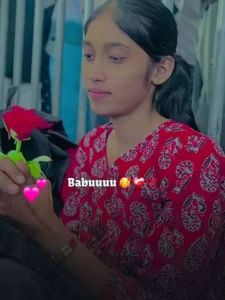
Friends, let’s now talk about this video editing template. Attitude-style video editing has been done, and the song used in it is a Rajasthani attitude song, which is currently a very viral editing technique. The video starts with a blur effect that lasts for a few moments before becoming visible. The template then uses a slow-motion effect and various video editing effects. You can see the full editing process in the preview. Friends, you can use either your own photos or video clips in this template. However, the editing in the template is done using photos, and similar videos using photo editing effects are going viral on social media. So, select the clip as per your choice. Now, let me share the link to the template and explain how to use it.
How To Use Mhari Ko To Jiv CapCut Template
Friends, now let’s learn how to create this type of video without putting in too much effort. First, visit our website and open the article related to the Mhari Ko To Jiv CapCut Template. Read the instructions carefully, then scroll down to find the template link.
Click on the Check Template or Use Template button to open the template in CapCut. After that, tap on Use Template, select your favourite photos or video clips, and add them to the required slots. Preview your video to make sure everything looks correct, then export it. That’s it! Your video will be ready in just a few simple steps.
Conclusion
So, friends, you can easily create this type of video by following the steps explained above. If you have any questions or don’t understand any part of the editing process, feel free to ask us in the comment section. We’ll do our best to clear your doubts and help you complete your edit.
If you want to learn about other trending or advanced editing styles, you can also let us know by commenting on our website. We’ll try to share more useful editing tutorials and templates to help you create attractive videos.
Thank you for reading this post, don’t forget to check out other post.
